









How To Calibrate Analog Thermometer
Quick Video Guides
▶ How to Calibrate Analog Thermometer
▶ How to Calibrate Digital Thermometer
Calibrating an analog thermometer ensures accurate temperature readings, especially for cooking, lab work, or industrial use. Over time, thermometers can drift due to regular use, impact, or exposure to extreme temperatures. The good news? You can re-calibrate your analog thermometer at home using a simple boiling-water method.
Boiling Water Calibration Method
- Fill a deep pot with water and bring it to a rolling boil.
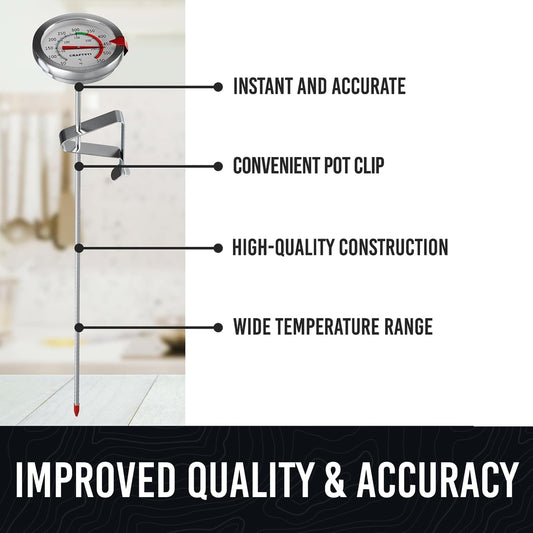
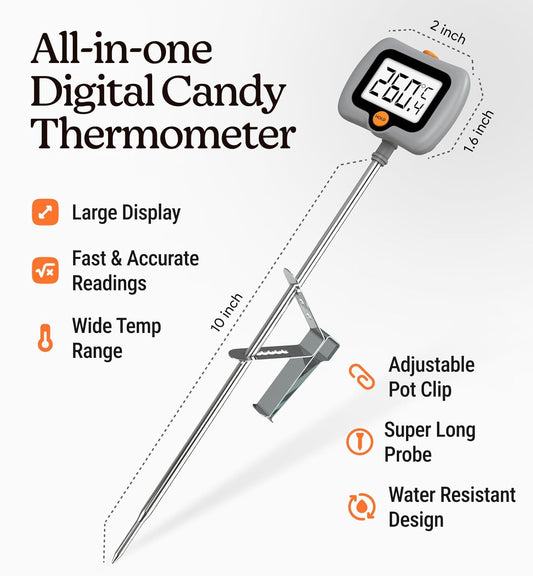
- Clip the thermometer to the side of the pot, making sure the probe is fully submerged but not touching the sides or the bottom.
- Allow the needle to settle for a few seconds.
- Check the reading. If it does not match the boiling point of water (212°F or 100°C at sea level), adjustment is needed.
- Using a wrench, hold the nut on the back of the dial and gently turn the dial clockwise or counterclockwise until the needle reaches the correct temperature.
Video Guide - How to Calibrate Analog Thermometer
Want to see the process in action? Watch this short demo to see the calibration process done correctly.
<!-- Video block -->
How To Calibrate Digital Thermometer
Digital thermometers are known for their accuracy and ease of use, but they still need calibration from time to time. Regular calibration helps ensure precise readings, especially for cooking, laboratory testing, or quality control tasks. The digital thermometer can generally be calibrated using the ice water test. Some digital thermometer recommends the boiling test for calibration. Check the manufacturer's note if available to ensure you're using the recommended method.
Ice Water Calibration Method
- Fill a glass completely with ice, then add cold water until the ice is covered. Stir for about 5 seconds to create an even ice bath.
- Turn on the thermometer and insert its probe into the water, making sure it does not touch the sides or the bottom of the glass.
- Wait about 5-10 seconds for the reading to stabilize.
- Press the power button twice to enter calibration mode. The display will show CAL. After 2–3 seconds, PASS will appear on the display, confirming successful calibration.
Video Guide - How to Calibrate Digital Thermometer
Prefer to see it done? The video below walks you through the ice-water calibration process step by step.
<!-- Video block -->
Quick Tips for Using Digital & Analog Thermometers
- Calibrate thermometers regularly to maintain accurate readings.
- Clean the probe before and after each use to avoid contamination.
- Avoid dropping or exposing thermometers to extreme temperatures.
- Store thermometers in a dry, safe place when not in use.
- Replace digital thermometer batteries with the recommended type when readings become unstable.
- Recheck accuracy after long storage or heavy use.


